In your browser
H5 web lobby
- Opens in Chrome, Safari or any phone browser.
- Nothing to install, so it uses no storage.
- Handy for a quick look or on a borrowed phone.
- Bookmark the link once and always use that one.

You can play JDL688 in your browser or put it on your home screen. This guide helps you choose, install safely on Android or iPhone, and fix the usual hiccups.
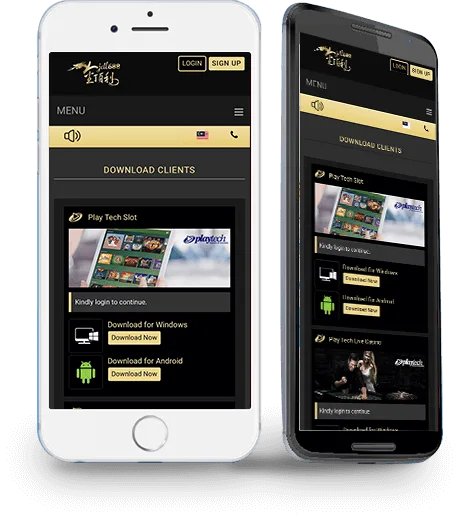
The download screen in the JDL688 lobby
On your phone
Same lobby, same account, two ways in. Pick the one that fits how often you play.
In your browser
On your home screen
If you play now and then, H5 is enough: open the link, log in, play. If JDL688 is something you open most days, the app saves you finding the link each time. Your balance and history sit in your account, not on the phone, so they follow you either way. Start on H5 today and install the app later if you want.
Android
Wording differs by phone brand; the idea is the same.
Tap Download on this page to open JDL688, then go to the download screen and choose the Android option.
Open downloadLet the file finish downloading, then open it from your notifications or Downloads folder.
Your phone may ask you to allow installs from this source. Allow it for this download only, follow the prompts, then open the app and log in.
iPhone
No App Store needed.
The simplest way on iPhone is the H5 lobby in Safari. Open JDL688, log in and play. To make it feel like an app, tap the Share button in Safari and choose Add to Home Screen. An icon appears that opens the lobby straight away.
If the lobby's download screen lists an iPhone option, follow its prompts.
Game clients
Some studios run their games in their own client.
The JDL688 download screen also lists clients for some game providers, such as Playtech. You only need one if a game asks for it; open it from the same screen. Only install from the Download button inside JDL688, never from a file sent in a chat.


If something goes wrong
Check your storage space and connection, then try again. Some browsers hold downloads until you confirm in the notification bar.
Android may ask you to allow installs from your browser or file manager. Allow it for this file only, then switch it back off.
House rule
Copycat pages sometimes dress up as the JDL688 login to catch your password. They usually arrive through a random message, a group chat or an ad. Three habits keep you safe:
Typed your details into a page you now doubt? Change your password from the real login straight away.
Questions
Short answers to what players ask most.
Yes. The JDL688 lobby has a download screen with app clients. Tap Download on this site to open it, then follow the prompts for your phone.
Open the download screen from JDL688, download the Android file and open it. If your phone asks to allow the install, allow it for this file only.
Yes, through the H5 lobby in Safari. You can also add the page to your home screen so it opens like an app. Check the download screen in the lobby for any iPhone option it lists.
No. Log in with the same username and password you use on H5. Your balance and history are the same.
Only from the Download button inside JDL688 or on this site. Don’t install files sent to you in chats or groups.



Ready when you are
Put JDL688 on your home screen, or open the H5 lobby right now. Same account either way.
Download the app